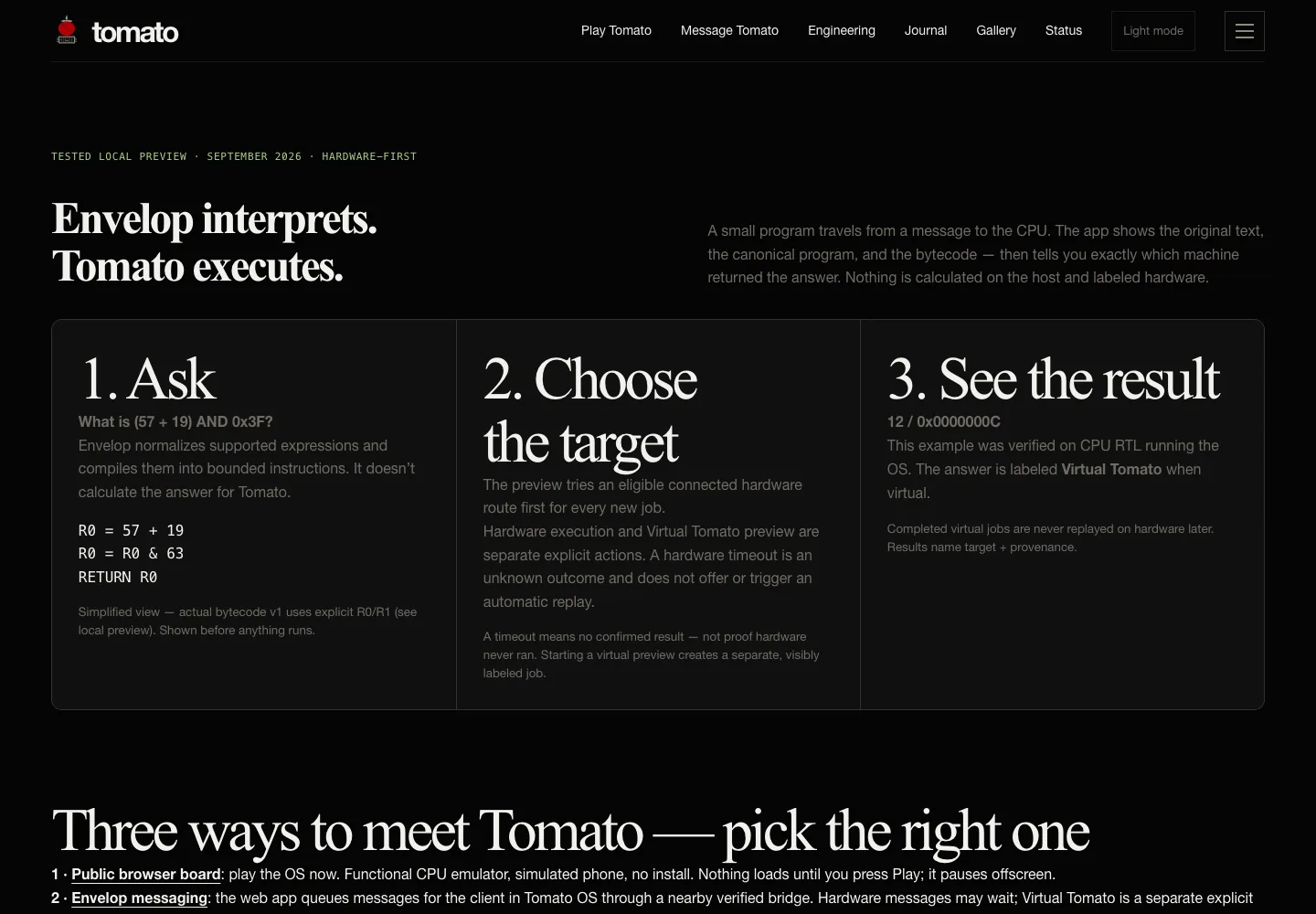
Documentation example · Virtual Tomato label shown explicitly · this page capture is UI evidence, not a fresh execution or physical result.
1. Ask
What is (57 + 19) AND 0x3F?
Envelop normalizes supported expressions and compiles them into bounded instructions. It doesn’t calculate the answer for Tomato.
R0 = 57 + 19
R0 = R0 & 63
RETURN R0
Simplified view — actual bytecode v1 uses explicit R0/R1 (see local preview). Shown before anything runs.
2. Choose the target
The preview tries an eligible connected hardware route first for every new job.
Hardware execution and Virtual Tomato preview are separate explicit actions. A hardware timeout is an unknown outcome and does not offer or trigger an automatic replay.
A timeout means no confirmed result — not proof hardware never ran. Starting a virtual preview creates a separate, visibly labeled job.
3. See the result
12 / 0x0000000C
This example was verified on CPU RTL running the OS. The answer is labeled Virtual Tomato when virtual.
Completed virtual jobs are never replayed on hardware later. Results name target + provenance.
One request. Two separate responsibilities.
Envelop owns interpretation and delivery. It preserves what you typed, shows the controlled-language interpretation, compiles supported input, queues physical work, and presents the result.
Tomato owns execution. Its bounded executor runs the supplied program against private registers and memory, then returns an answer with enough provenance for Envelop to label the target. Virtual Tomato is a separate explicit preview, never a silent replay.
Run the local preview
From a current Tomato checkout with the simulation toolchain installed:
python3 tools/virtual_tomato.py
Open the local preview at http://127.0.0.1:8766. Up → Center opens Envelop. Connect the demo phone, wait for the greeting, then send What is (57 + 19) AND 0x3F?: expect 12 / 0x0000000C. Send Hello: greeting + two short instructions. Send unsupported /calc 1 / 0: readable compiler error; the OS keeps running.
In Envelop’s Mac app, select Tomato → Use Tomato. The welcome screen also offers Try Tomato locally. The service compiles the request; choosing a separate virtual preview runs the OS on a fresh CPU RTL instance.
Try 45 & 19, what is 5 plus 7?, and(45, 34), or a small program:
/run R0=42; RETURN R0
Current limits — enforced, not hidden
The remote ABI has eight private registers R0–R7, 256 private 32-bit memory words, and at most 32 straight-line instructions with a mandatory final RETURN. Arithmetic wraps to 32 bits. It supports ADD / SUB / AND / OR / XOR / MASKADD / XORAND and private LOAD / STORE.
Raw LUT configuration, multiplication, division, loops and arbitrary OS memory access are unsupported. Unsupported expressions return useful errors; the app never invents an answer. Greeting / help / unknown chat get bounded replies.
A timeout means no confirmed hardware result, not proof that the hardware never ran. Virtual results are labeled and never queued for later hardware replay.